All your accounts. One clear picture.
Your money is spread across accounts, and no single broker shows the whole thing. IWB Terminal puts it all in one place and answers what actually matters: how you're really allocated, how far the market can fall before a margin call, and what your sold puts would cost you if assigned. Prices that update through the market day, matched to your broker's own numbers.
Get started for $9/month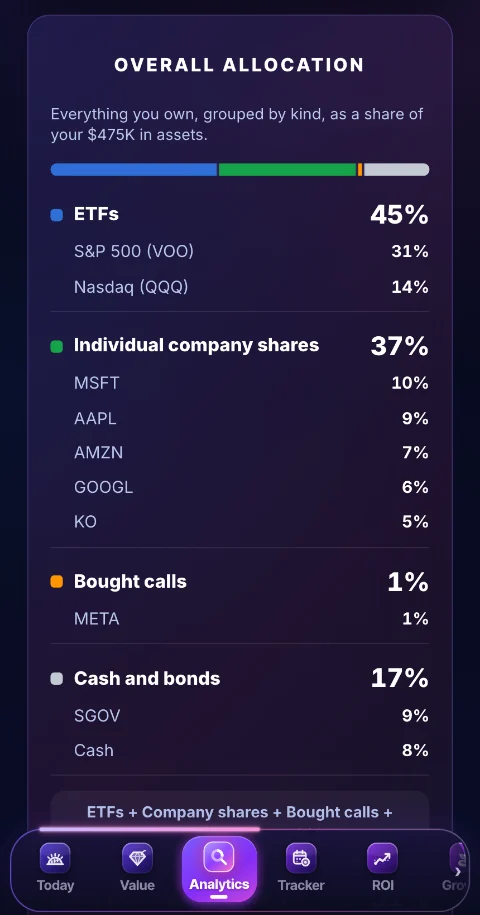
Real app screens. Sample portfolio shown.
No single broker can see the whole thing.
Your broker only knows the account it holds. IWB Terminal adds them all up and tells you what it means, in plain English, at current prices.
Every account, added up
Connect a brokerage, or add accounts by hand: a Roth, a spouse's account, an old 401(k). They stop being separate piles and become one portfolio you can actually read.
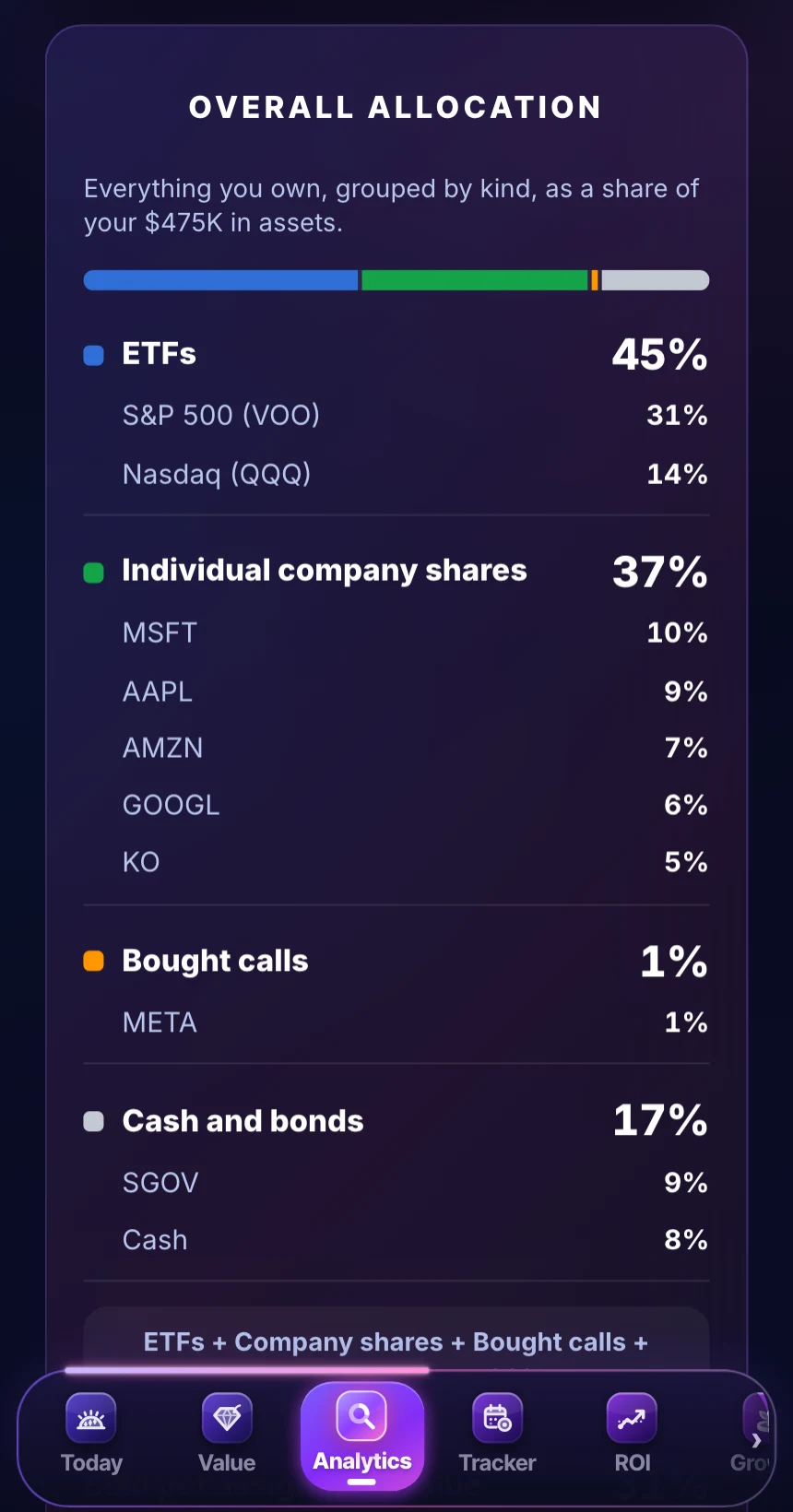
How you're really allocated
Everything you own on one ring, biggest first: funds grouped by what they hold, every stock by name, and the same money again by category, labeled your way. Most people are far more concentrated than they think, and this is usually the first time they see it.
How far the market can fall
One number: the drop that would put you in margin call territory, worked out from your own positions, your cash, your margin loan and the assignments a fall would trigger. Beside it, your estimated beta with its history, and a slider that moves your whole portfolio with any S&P 500 move you drag to.
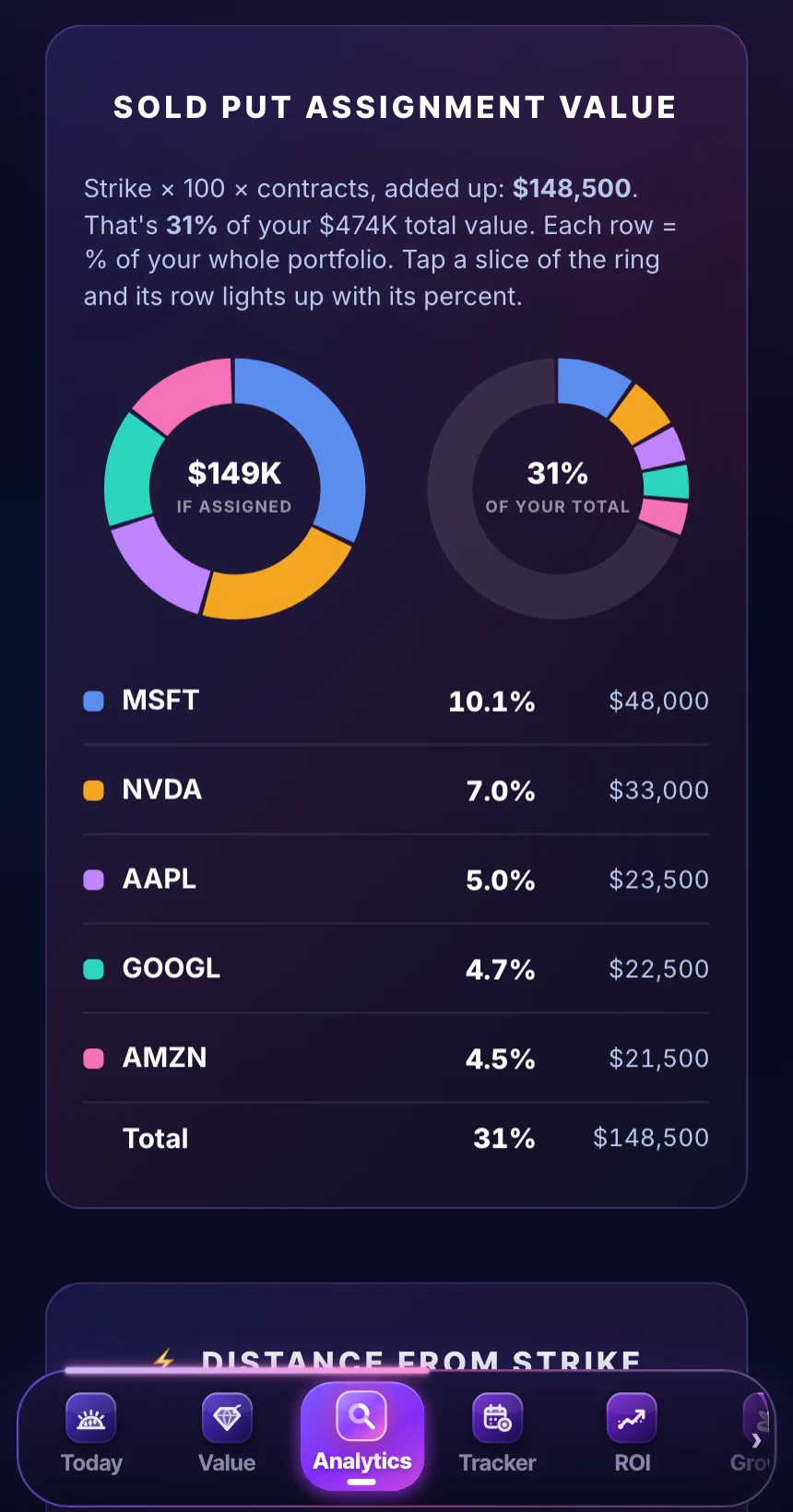
What assignment would cost you
Every live sold put, what you'd pay if it were assigned, and how it all adds up against your cap: name by name, date by date, and how far each one sits from its strike. Expired contracts drop out on their own.
AI Copilot
Ask anything about your own portfolio, answered from your actual positions. Try “what happens if NVDA drops 20%?” Education, never advice.
Your return, your value, and where it could go.
Three new tabs that read the same portfolio as everything else, and the app on your iPhone.
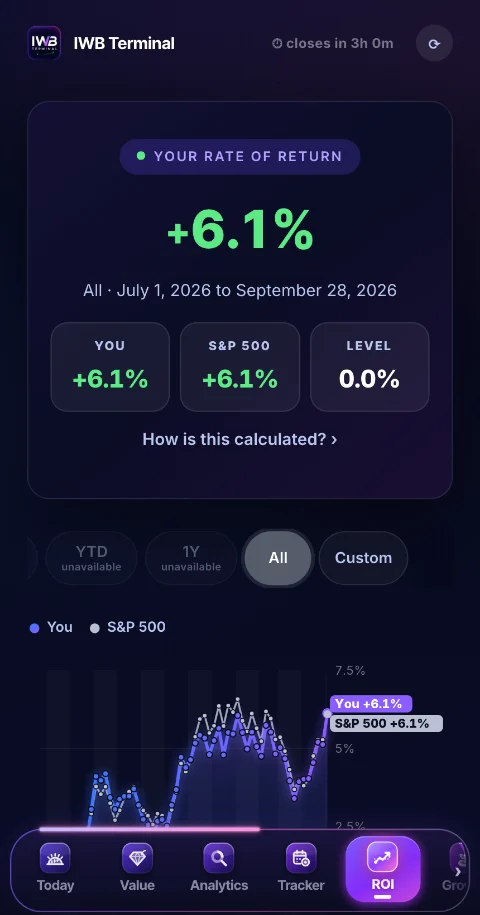
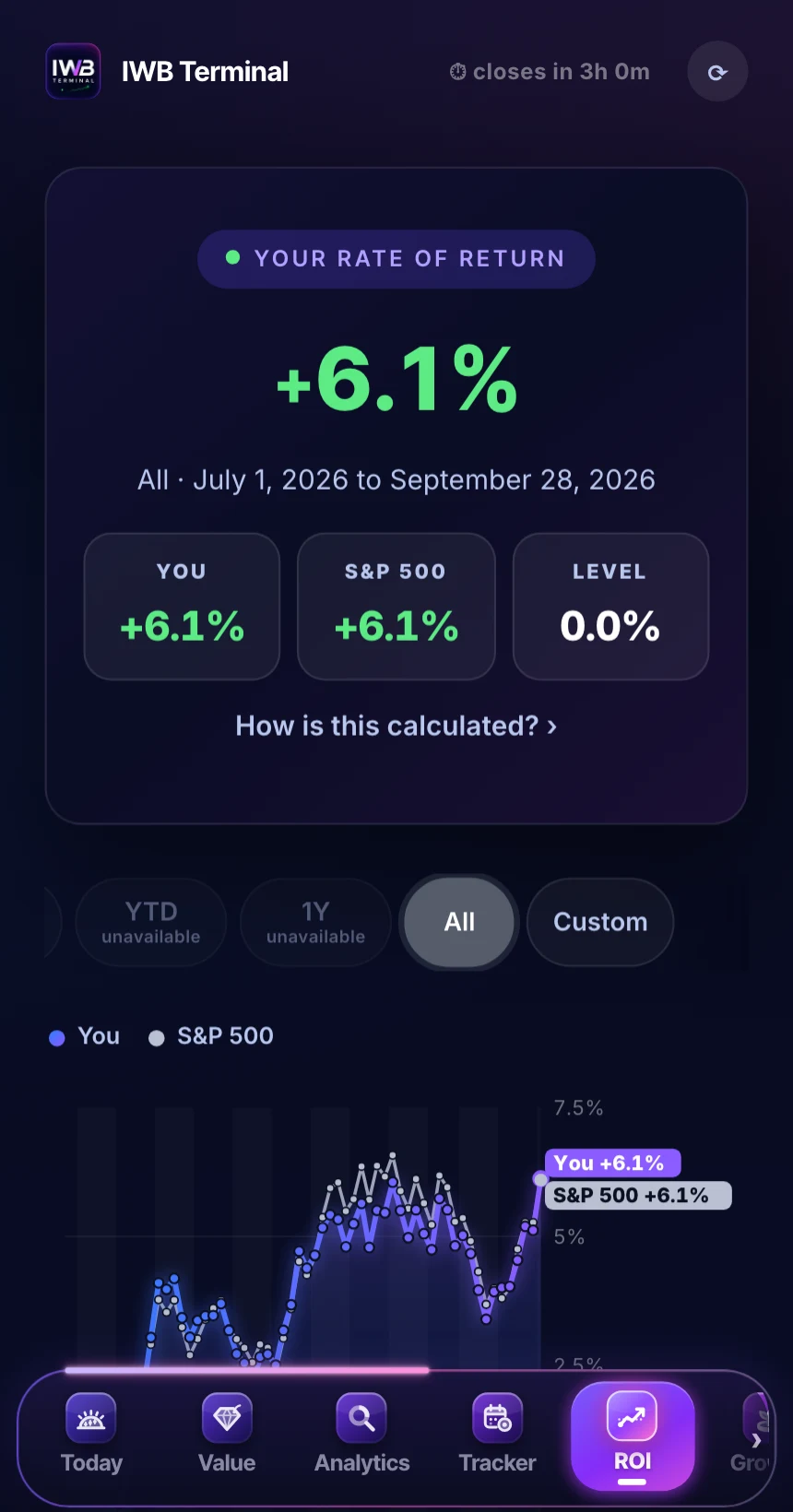
ROINEW
Your rate of return since your first tracked close, with deposits and withdrawals taken out, next to the S&P 500 with dividends, or the Nasdaq, Dow and Russell 2000. A week, a month, all of it, or dates you pick.
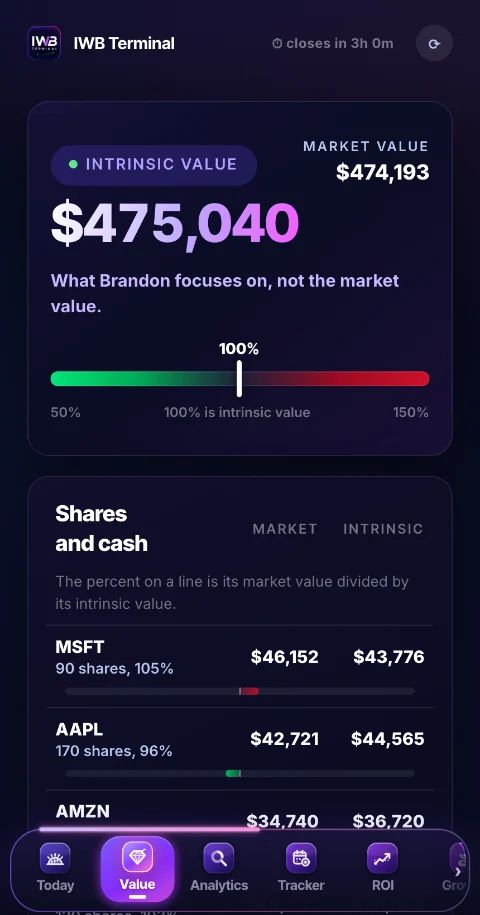
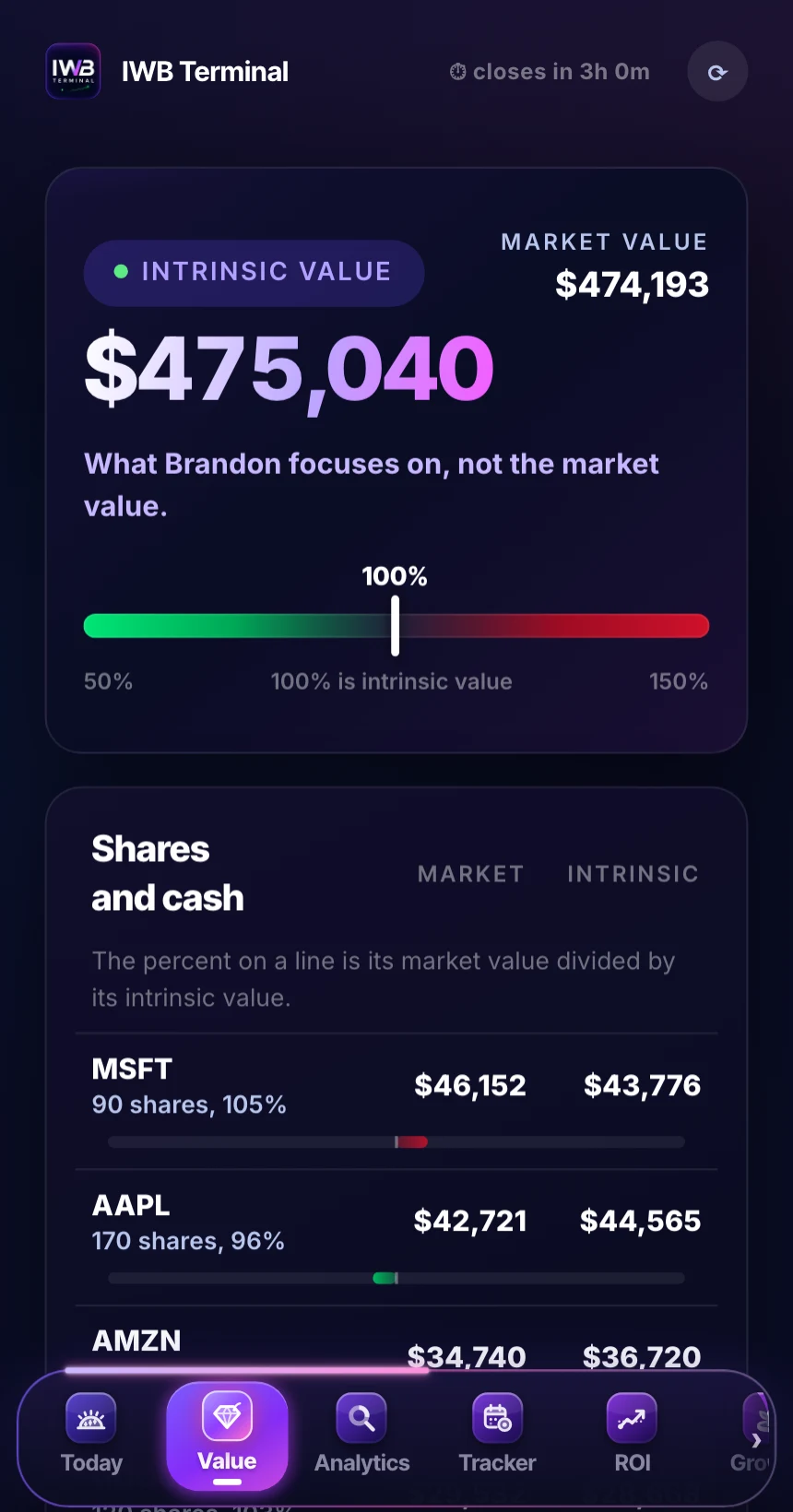
ValueNEW
Your portfolio at market value and at intrinsic value, using the IWB stock sheet's estimates for the shares it covers, with a gauge that shows where the market prices you. It reads the shares your broker syncs.
GrowthNEW
A 1 to 30 year look at where a portfolio could go at an estimated yearly rate, with money you add along the way. Hypothetical and for education: an estimate, never a forecast or a promise.
This is what you open every morning.
Actual screenshots of the app running a made up sample portfolio. Swipe through.
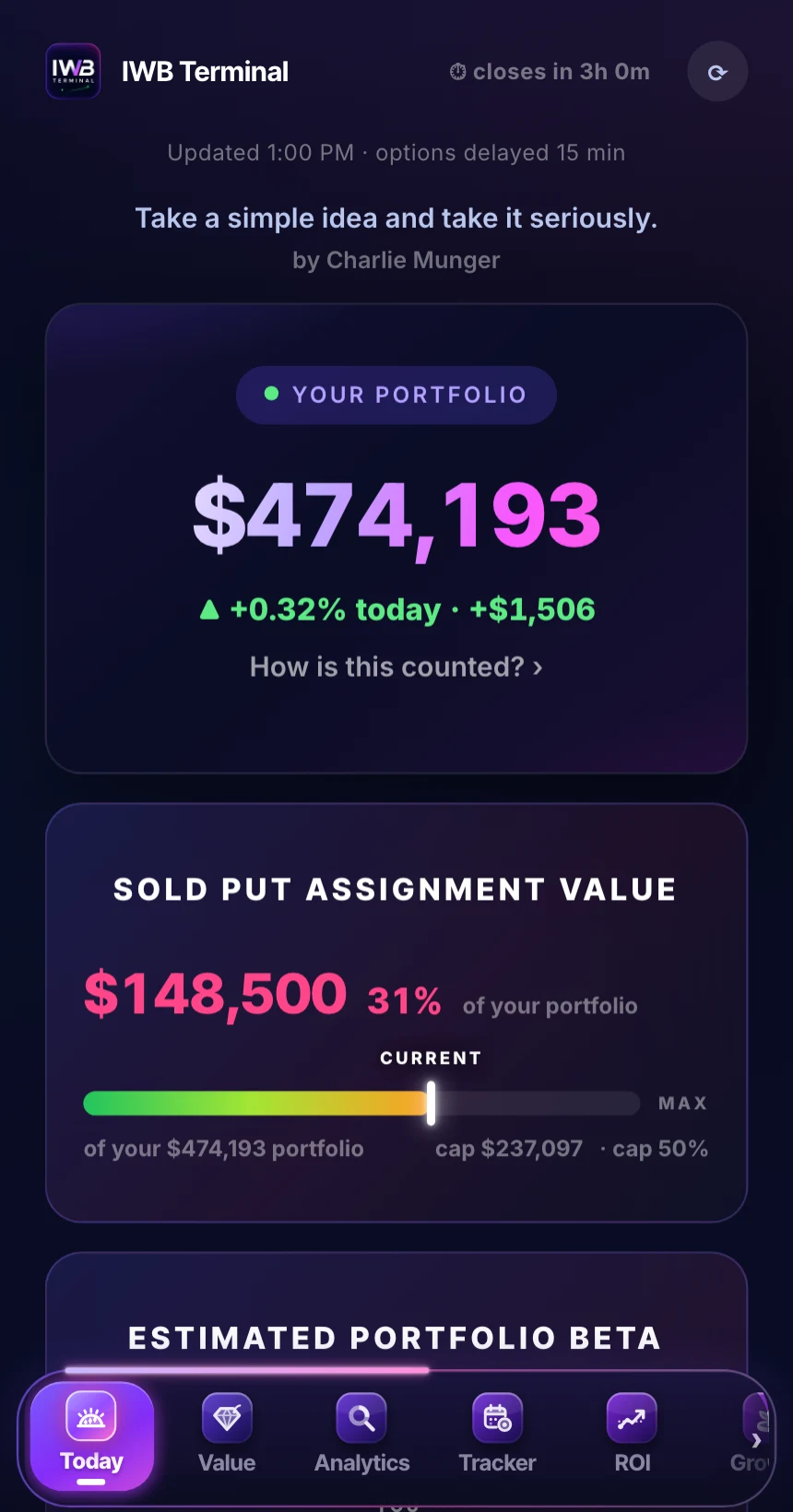
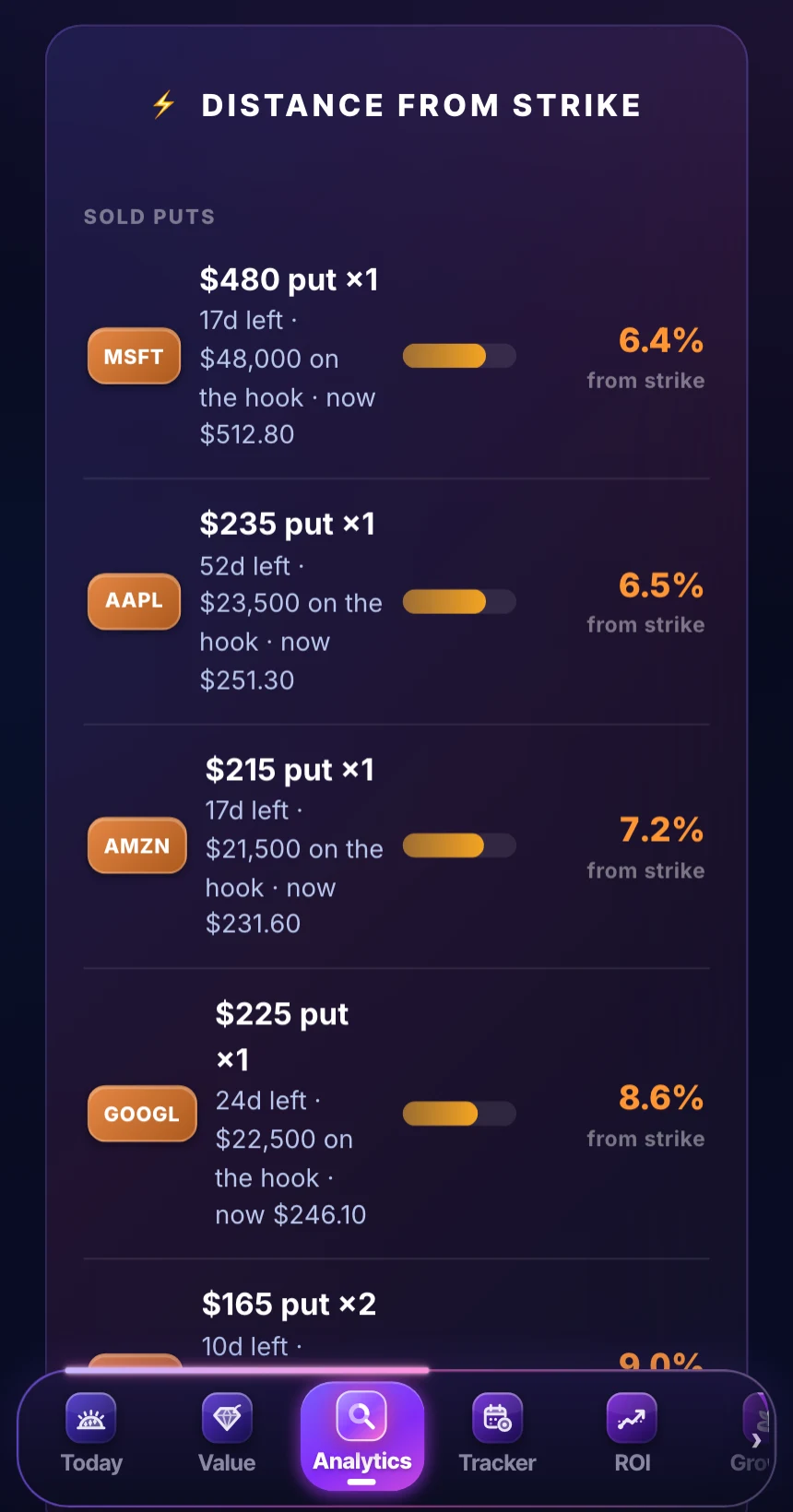
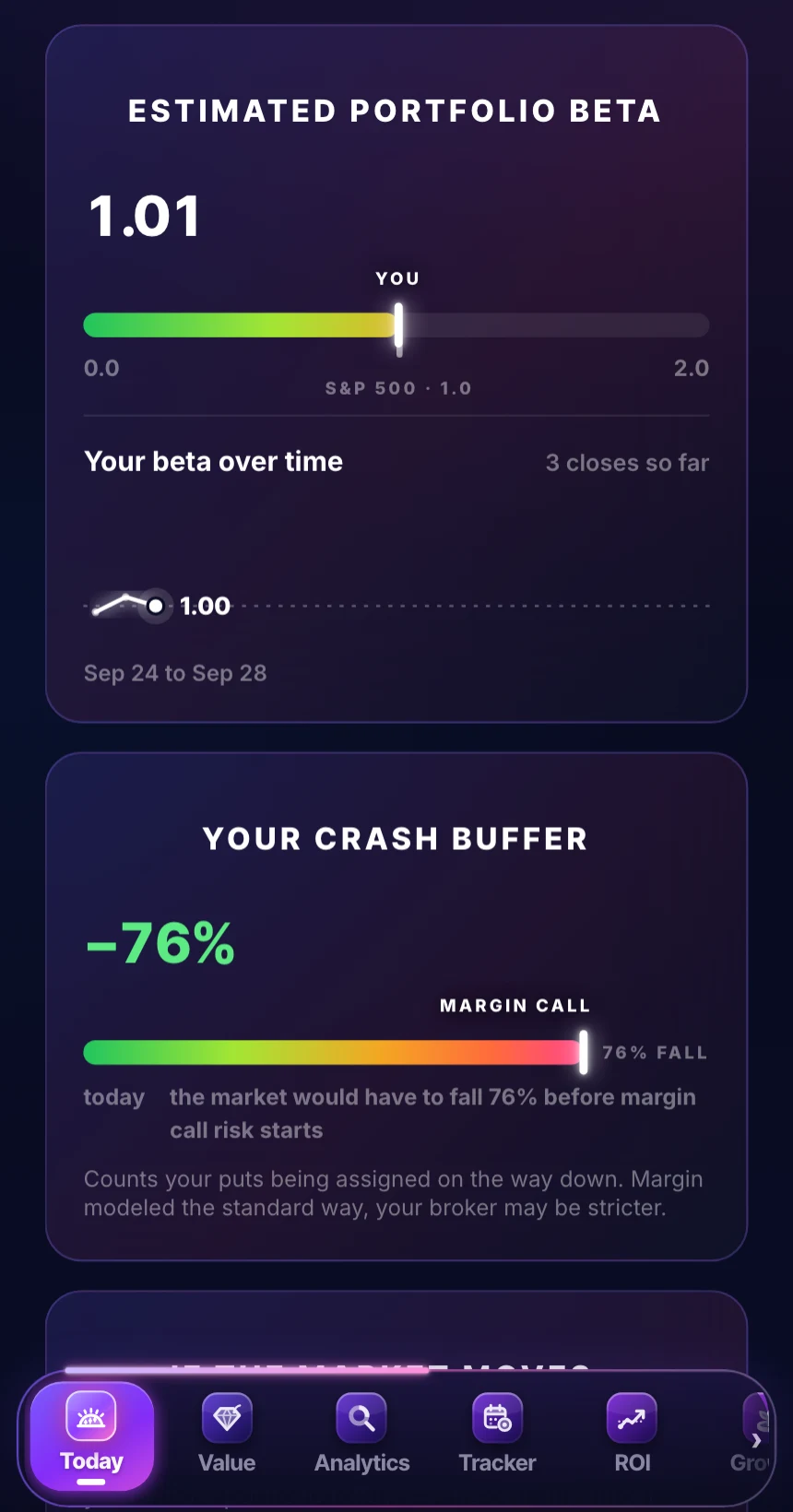
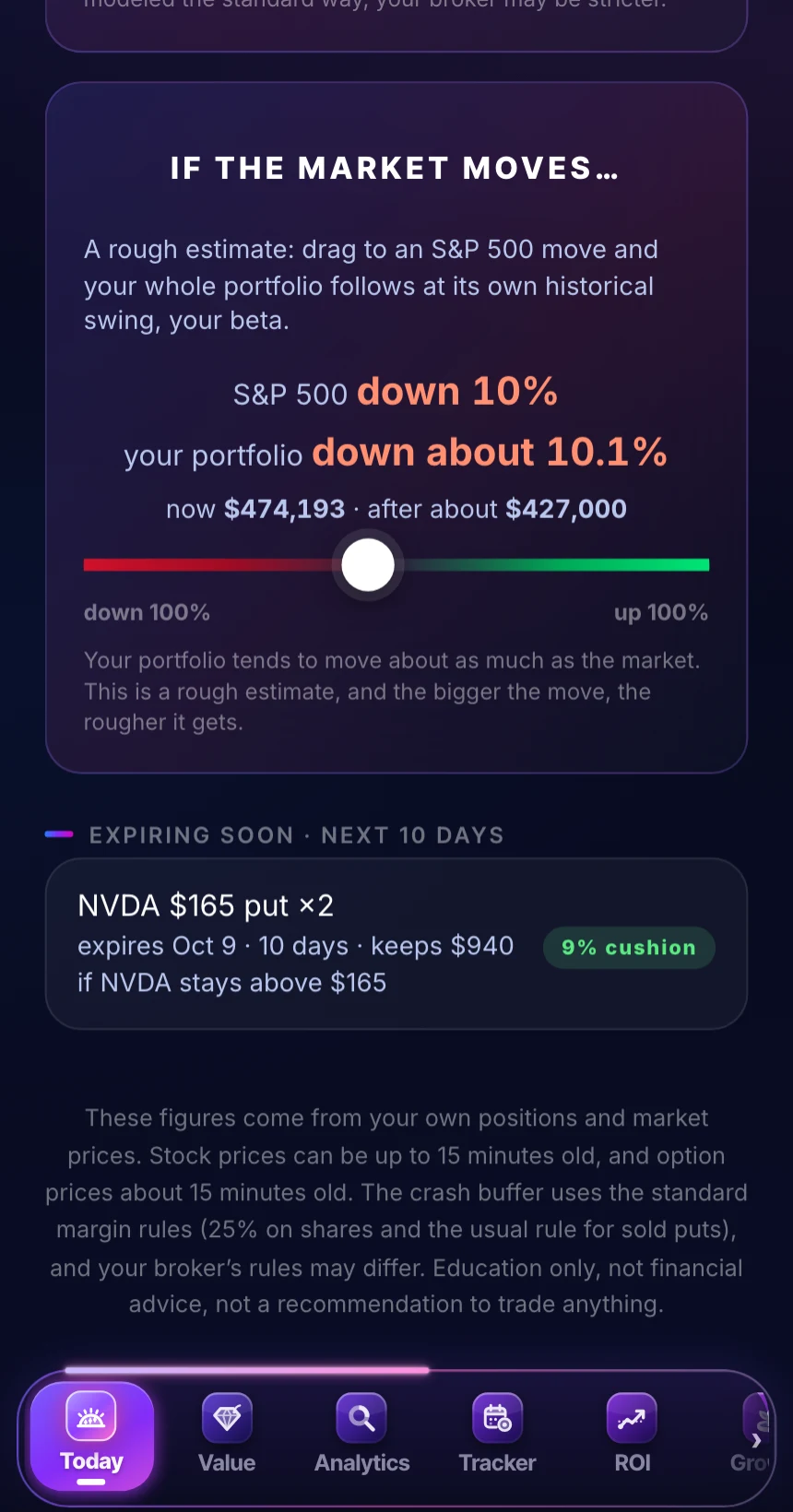
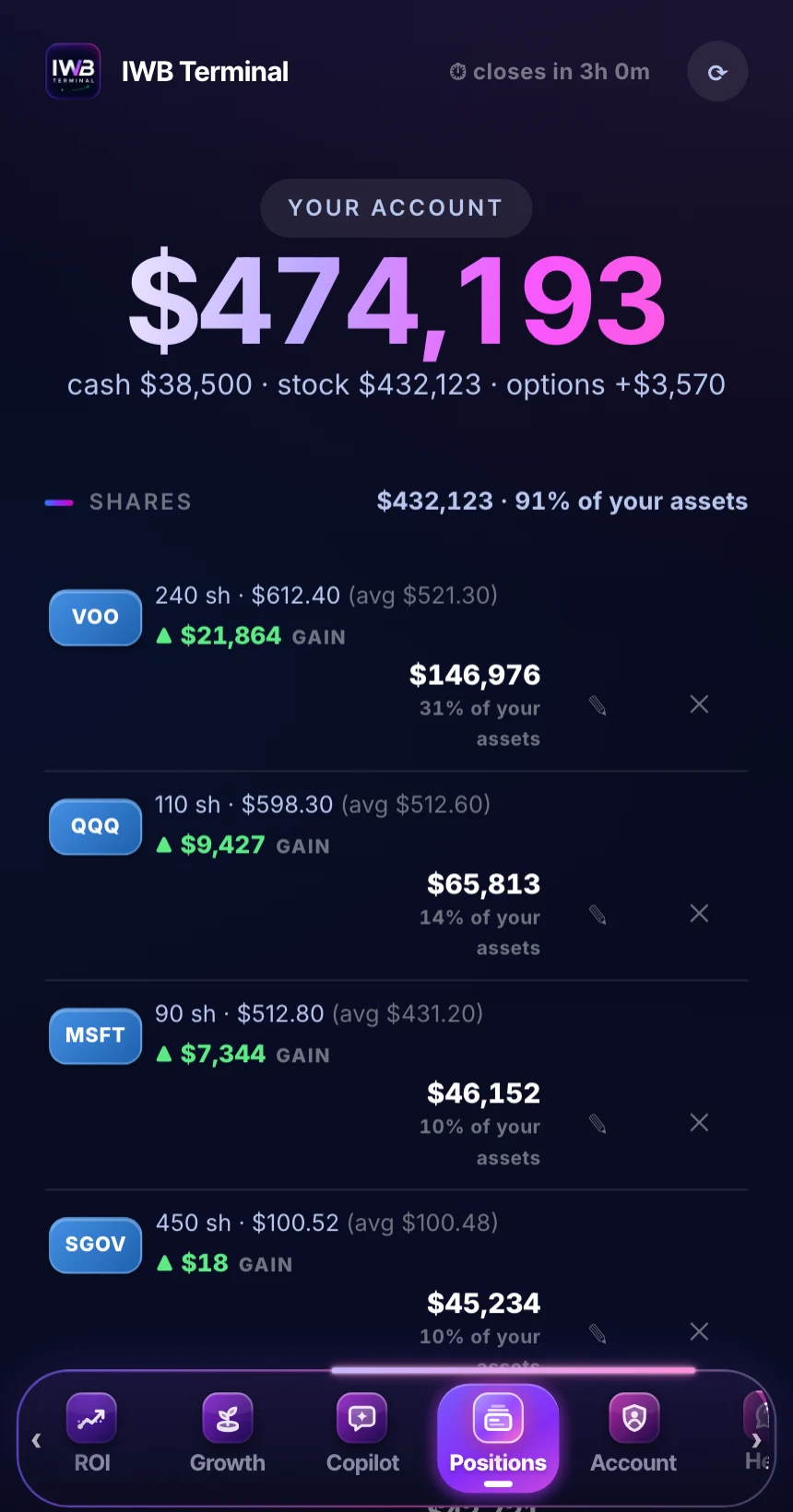
Sample portfolio shown. Your screens show your numbers.
The same app, on your iPhone.
Subscribe here for $9, then sign in on the iPhone app for notifications.
- Your close is ready, soon after the 4:00 PM New York close, each market day.
- Your week against the S&P 500, on Saturday morning.
- A heads up, on the evening of the market day before any of your options expire.
Word for word from the app. The S&P 500 figure is a sample day.
Connecting your broker is read only. Always.
The most common question we get, answered plainly: here's exactly how the connection works and why your money can't be touched.
We never see your password
You sign in on your broker's own page, in a secure window. Your login goes to your broker. It never passes through IWB Terminal, so there's nothing for us to see and nothing for us to store.
Read only by design
The connection can see balances and positions. It cannot place trades, withdraw, or move money. That's not a promise, it's a permission the connection simply doesn't have. Disconnect anytime, from the app or from your broker.
Powered by SnapTrade
Broker connections run through SnapTrade, a SOC 2 Type II certified service whose entire business is safe brokerage connections, used by established investing apps like Simply Wall St and Blossom, with bank grade encryption and connectivity to 400M+ investor accounts.
Prefer not to link at all? Import a CSV or type positions in. Everything works the same except the Value tab, which reads the shares your broker syncs. Full security details →
Up and running in two minutes.
Create your login
Name, email, password. Subscribe for $9 first, then use the same email here. Your data saves to your account from day one.
Add every account
Connect a brokerage to sync your positions, drop a CSV, or type positions in. Add as many accounts as you have, and they all roll into one picture.
See where you stand
How you're allocated, how far the market can fall before a margin call, and what assignment would cost you. Then ask the copilot about any of it.
Built on the Investing with Brandon playbook.
Not another generic tracker. Every screen is built around the discipline that keeps put sellers alive, the same rules taught in the IWB community, now watching your portfolio automatically.
Nine dollars a month. That's it.
No tiers, no upsells, no locked features. Billing runs through Whop, the same place as the IWB community, and canceling is one tap.
Get started for $9/monthQuestions
Is my portfolio data safe?
Your portfolio is saved privately to your account and syncs across your devices automatically. Your password is stored using industry standard hashing. Your data is never sold, and never shared with other members or advertisers.
Is it safe to connect my broker?
Yes, and it's optional. Linking is read only through SnapTrade, a SOC 2 Type II certified connection service used by established investing apps, with connectivity to 400M+ investor accounts. You sign in on your broker's own page, so we never see your password, and the connection cannot place trades or move money. You can unlink anytime, from the app or from your broker's security settings. Prefer not to link? Import a CSV or type positions in. Everything works the same except the Value tab, which reads the shares your broker syncs. Full security details →
Is there an iPhone app?
Yes. Subscribe here for $9, then sign in on the IWB Terminal iPhone app for notifications. It sends three: your close is ready, soon after the 4:00 PM New York close each market day; how your week went against the S&P 500, on Saturday morning; and a heads up on the evening of the market day before any of your options expire. Turn them on or off in your iPhone's Settings, under Notifications.
Is the AI giving me financial advice?
No. The copilot explains your positions and the IWB rules using your numbers. It never tells you to buy or sell anything, and neither does the app. Analytics and education only.
Is the data really live?
Close to it, through the market day. Share prices update on their own while the market is open and are usually less than a minute old, and option prices are at least 15 minutes old. There are no after hours prices: your day stops at the 4:00 PM close. The top of the app shows when prices last updated, and if a number is estimated (like portfolio beta), it says so.